
Bronjoy in Telegram — client booking, the team bot and your own bot
Bronjoy has three Telegram bots: one for clients, one for you and your team, and your own bot on the Avtopilot plan.
1. The client bot — @bronjoy_bot
In @bronjoy_bot, clients find businesses and book without leaving Telegram. Confirmations, reschedules, cancellations and visit reminders arrive there too.
You don't need to set anything up: as soon as your page is published, clients can book you through the bot.
2. The team bot — @bronjoy_biz_bot
The Bronjoy for Business bot sends new bookings the moment they arrive. You can confirm a booking with a button right in the message.
How to connect
- On the dashboard, click Connect Telegram (the Get bookings in Telegram step).
- @bronjoy_biz_bot opens. Tap Start and the bot links to your account.
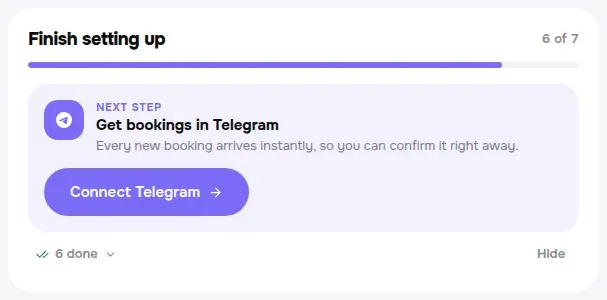
You can also do it without the button: open @bronjoy_biz_bot and share the phone number that is on your Bronjoy account.
Each specialist connects their own Telegram, and then gets their own bookings.
What the bot does
- Sends new bookings, cancellations, reviews and a morning summary of the day.
- /menu — buttons Today, Upcoming, Pending, Stats, Clients, Reviews, Services, Schedule.
- Open dashboard — the whole dashboard inside Telegram.
- On the Avtopilot plan you can simply write to the bot: "book Ali tomorrow at 15:00 for a haircut". See AI assistant.
What gets sent and when is set in Settings → Notifications. See Reminders and notifications.
3. Your own bot — Avtopilot plan
A bot with your business name and logo. Clients in it see only you, no other businesses.
- In Telegram, open @BotFather and send
/newbot. - Choose a name and a username for the bot, for example
BritvaBarberBot. - Copy the API token BotFather gives you.
- In Bronjoy, open Settings → Telegram Bot.
- Paste the token into Bot Token and click Connect Bot.
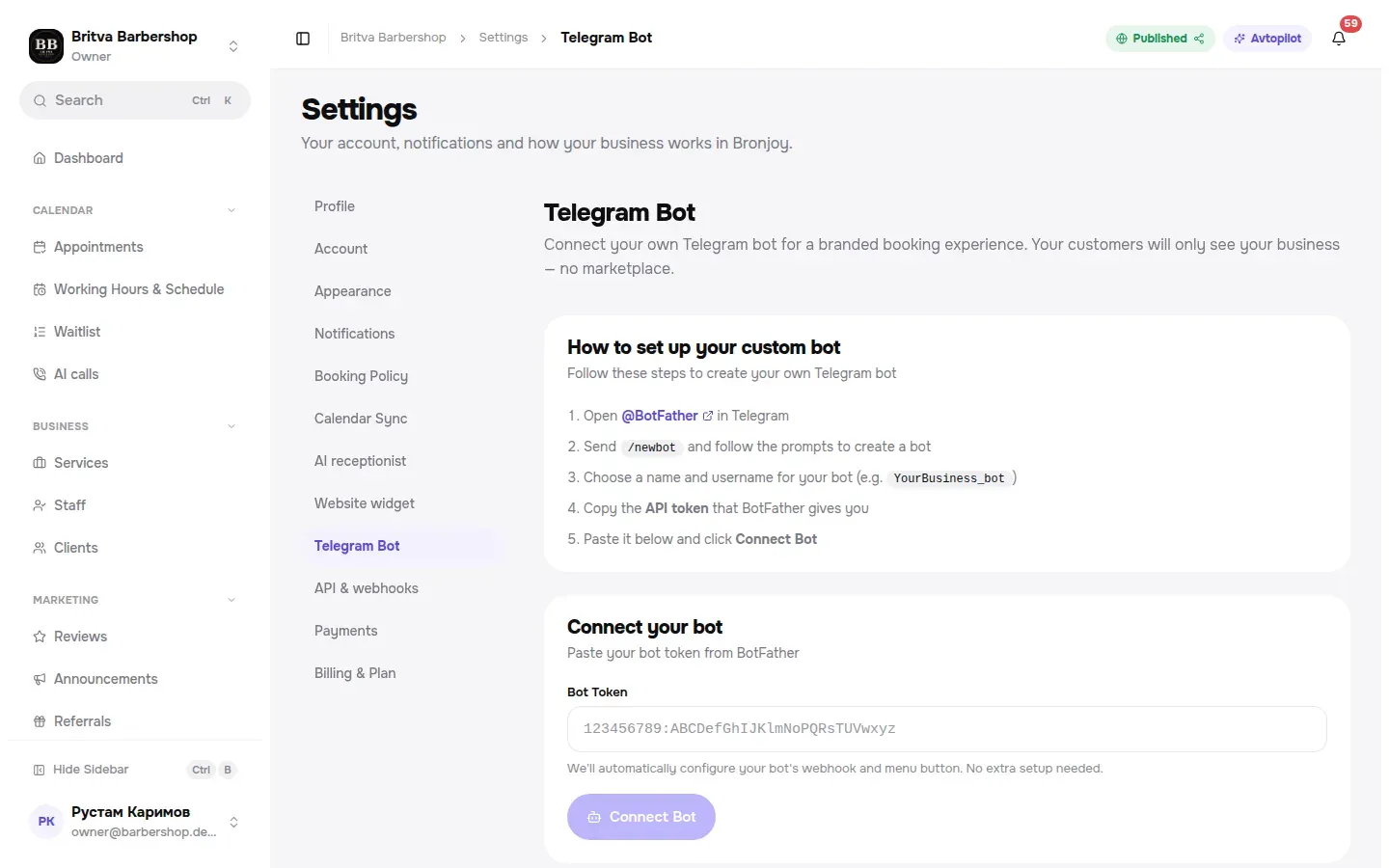
Bronjoy sets up the bot and its menu button for you. Once connected, a link to the bot appears on the same page: send it to your clients.
Client reminders and team notifications in Bronjoy
What messages clients get, how to set reminders before a visit, and what reaches you and your team in Telegram.
Client reviews in Bronjoy — how to get them and reply
Who can leave a review and when, where to see your rating, and how to reply to a client or report an unfair review.