
For Owners
The Bronjoy dashboard — your day, bookings and business numbers
[object Object]
The Dashboard is the first page after you sign in. It shows what needs your attention today and how the business is doing.
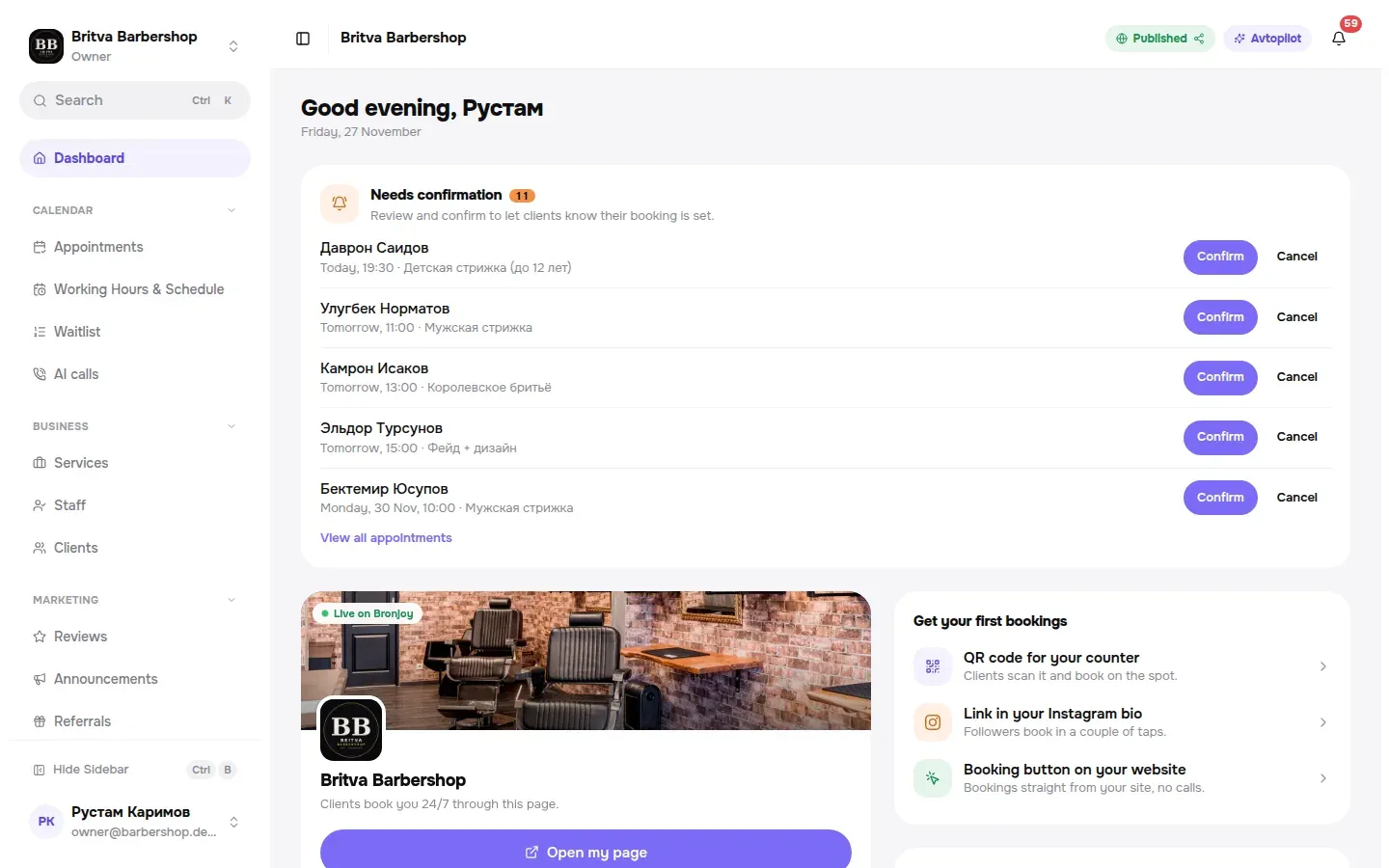
What's on the dashboard
- Needs confirmation — new online bookings. Click Confirm or Cancel right here.
- Your page card — Live on Bronjoy once the page is published, with Open my page, Copy link and Share buttons.
- Finish setting up — the steps not done yet. Hide removes the block.
- Get your first bookings — a QR code for your counter, a link in your Instagram bio, a booking button on your website.
- Upcoming bookings — who's coming today and tomorrow. Click a booking to open it.
Overview
Below is the Overview block. Choose the period at the top right; the default is the last 30 days.
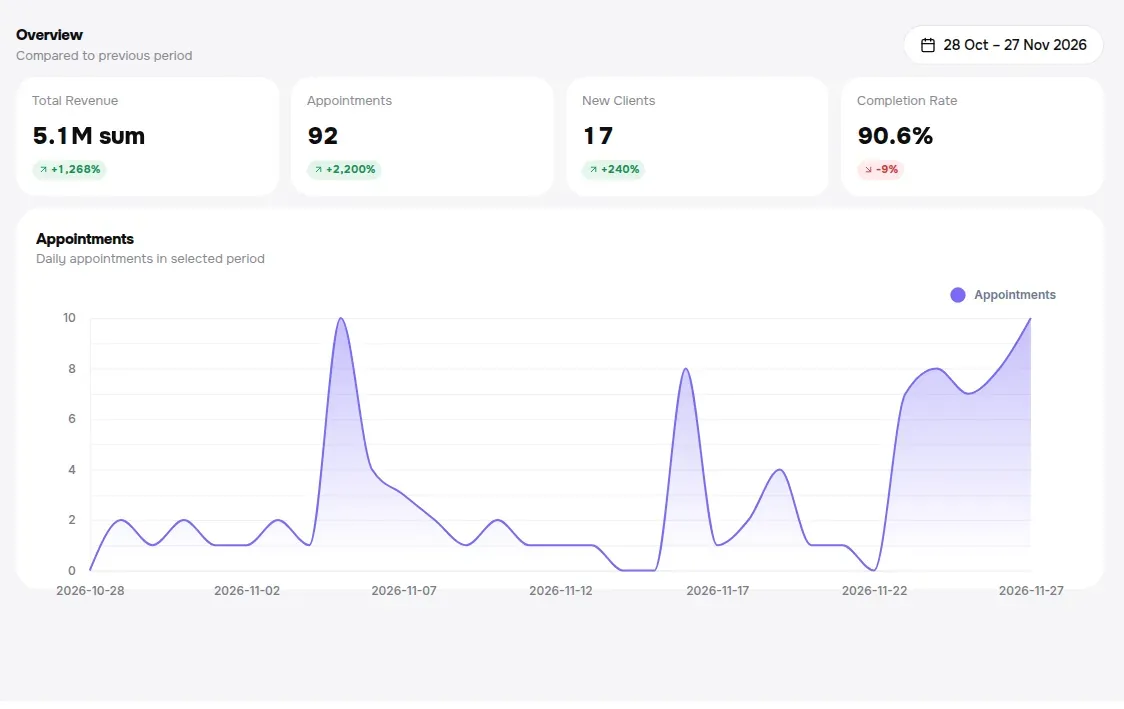
- Total Revenue — the total for the period.
- Appointments — how many bookings in total.
- New Clients — how many new clients joined your base.
- Completion Rate — the share of bookings marked complete.
Under each number is the change compared with the previous period of the same length. The Appointments chart shows bookings per day.
The numbers are only accurate if you mark visits: Mark Complete or No Show. See Bookings.
What staff see
Staff see their day and bookings on the dashboard. Only the owner sees revenue and business numbers. Roles are described in Staff.
Summaries in Telegram
A morning summary, an end-of-day summary and a weekly summary can arrive in Telegram. See Reminders and notifications.