
For Owners
The Bronjoy AI assistant — bookings and reports in plain words
[object Object]
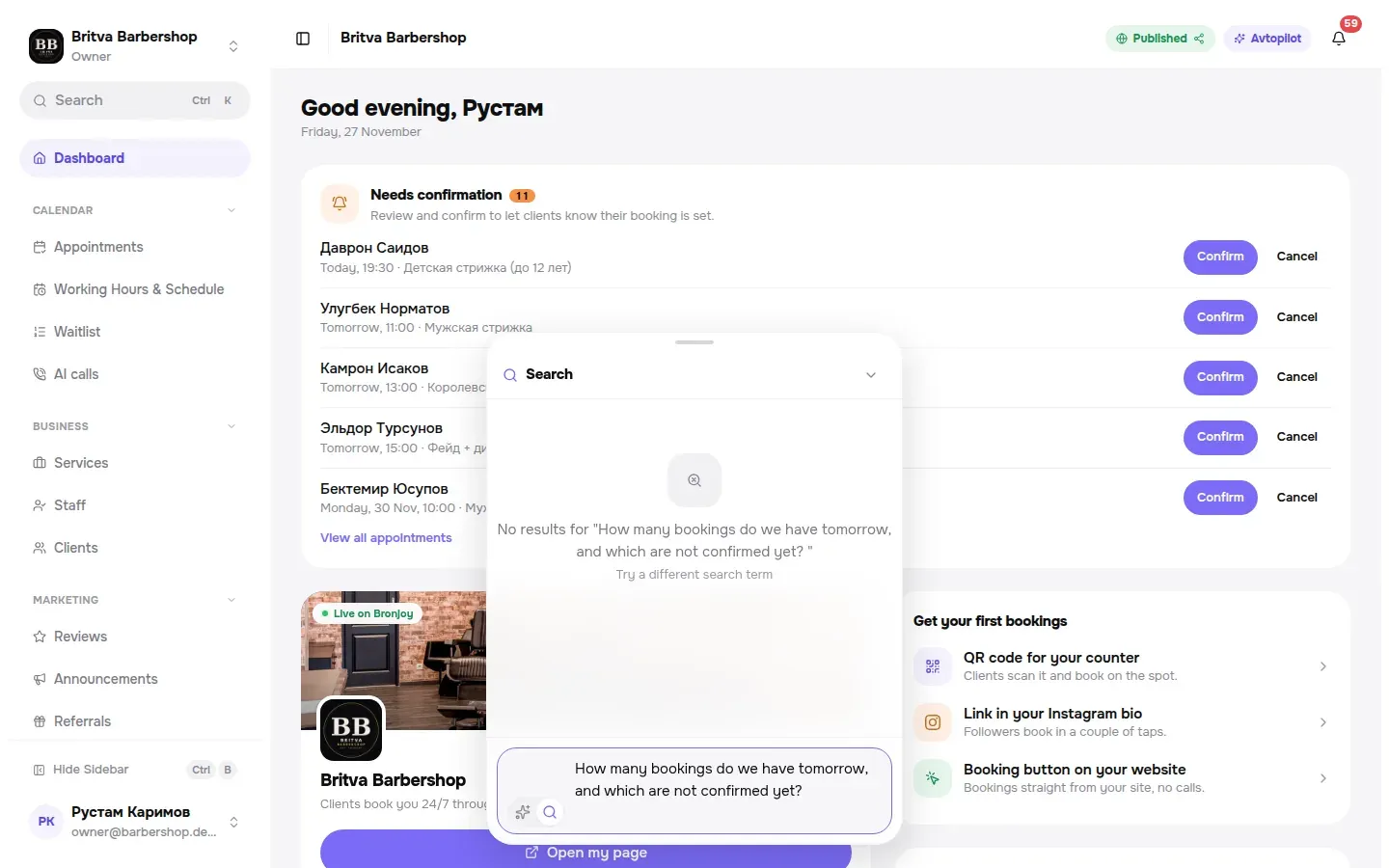
The AI assistant does routine work when you ask. Write in plain words, in Russian or Uzbek. The assistant is part of the Avtopilot plan.
Where to find it
- On the dashboard — the bar at the bottom of the screen with the ✨ icon. Click it and type your request.
- In Telegram — just write to @bronjoy_biz_bot. See Telegram.
What you can ask
| You write | The assistant |
|---|---|
| Book Aziz for a haircut tomorrow at 15:00 | finds a free slot and creates the booking |
| Who's booked today? | shows the day's bookings |
| Cancel Timur's 17:00 booking | cancels it and lets the client know |
| Set Sherzod's hours Monday to Friday, 10 to 19 | sets up the specialist's schedule |
| Reply to the new reviews | drafts polite replies |
| How did the week go? | sums up bookings and revenue |
The assistant changes nothing without your approval. Before it creates, cancels or changes a booking, it shows what it is about to do and waits for you to confirm.
Limits and AI credits
The plan includes a daily allowance shared by the whole team. If it runs out, buy a pack: 1,000,000 tokens for 19,000 so'm. Credits don't expire and are only used once the daily allowance is spent. Buy them in Settings → Billing & Plan, in the AI usage block.
On the free plan
On the Spark plan, the assistant shows a description of Avtopilot and a Get Avtopilot button instead. Everything else — bookings, clients, schedules — works without the assistant.