
Client reviews in Bronjoy — how to get them and reply
Everyone who opens your page on bronjoy.com sees your reviews. Good reviews and polite replies help new clients choose you.
Who can leave a review
Only a client who actually visited you. A review can be left once the visit is marked Completed. So mark visits as complete. See Bookings.
The client gives 1 to 5 stars and writes a comment in their bookings on bronjoy.com or in the Telegram app.
Where to see reviews
Open Reviews in the menu on the left.
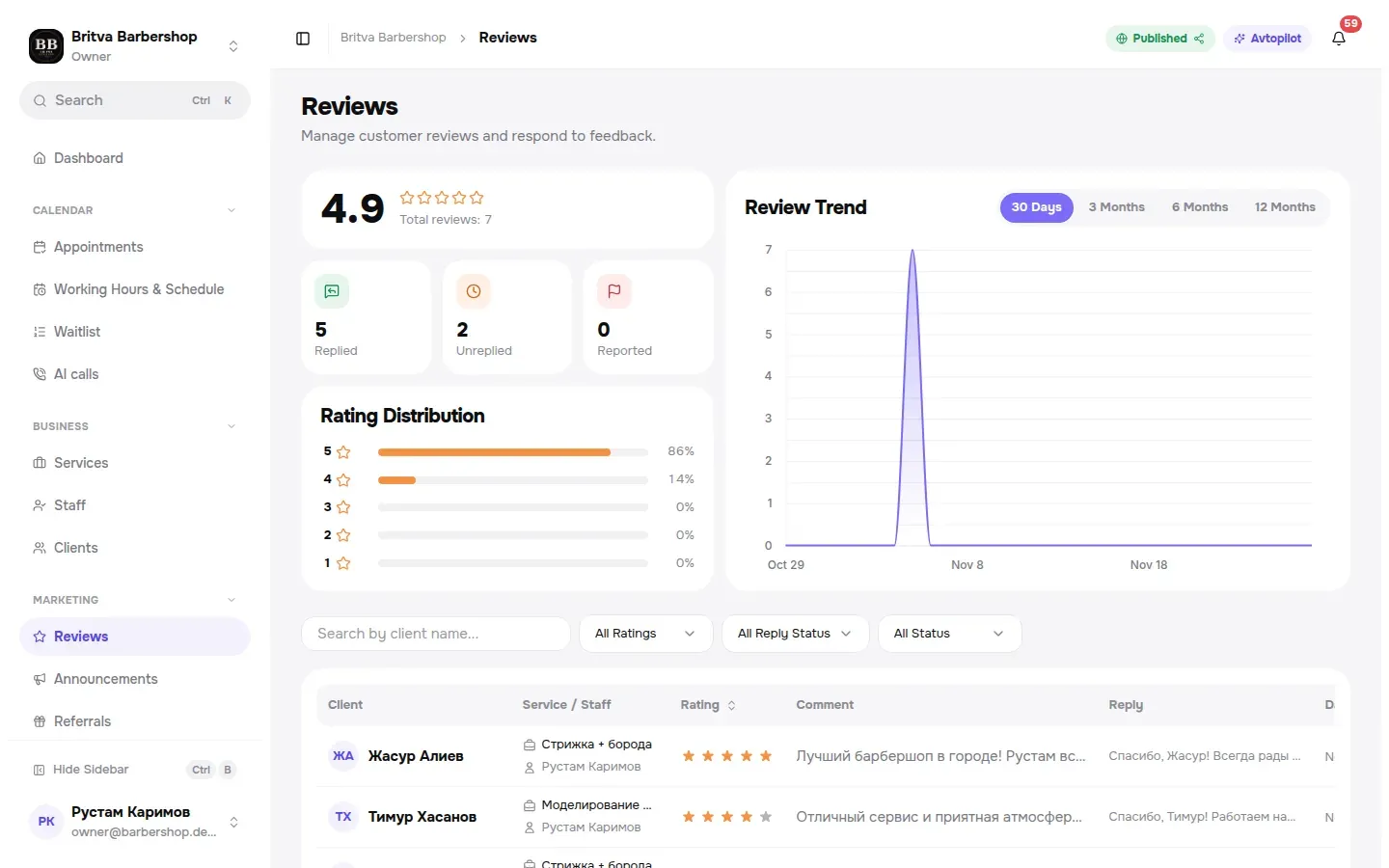
- The average rating and the number of reviews.
- Replied, Unreplied and Reported — how many reviews are in each state.
- Rating Distribution and Review Trend over 30 days, 3, 6 or 12 months.
- A table of reviews with filters by rating and reply status.
Reply to a review
- Click a review (reviews without a reply say Awaiting).
- Write your reply.
- Click Send Reply.
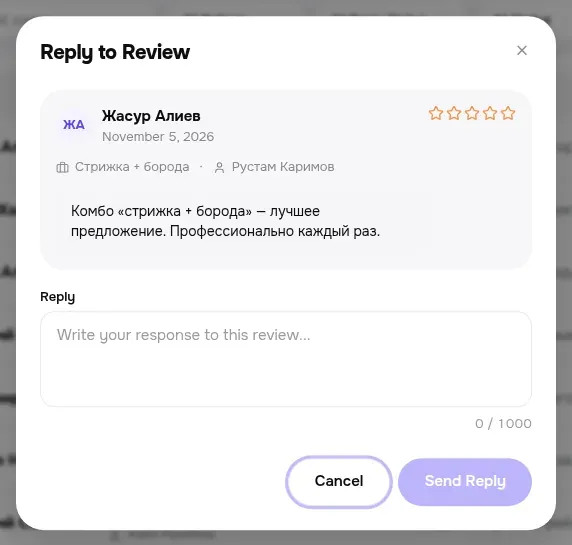
The reply appears under the review on your page. You can change it later with Edit Reply.
Report a review
If a review is abusive, spam, or wasn't left by a client, click ⋯ in its row → Report Review and describe the reason. Bronjoy moderation checks it.
On the Avtopilot plan the AI assistant drafts replies to new reviews for you to check. See AI assistant.
Bronjoy in Telegram — client booking, the team bot and your own bot
How clients book through @bronjoy_bot, how to connect the team bot @bronjoy_biz_bot, and how to launch your own bot with your business name.
The waitlist in Bronjoy — filling freed-up times
Turn on the waitlist so clients can queue when you're fully booked, and offer them a time when someone cancels.